Old video to MP4 · Windows
Old camcorder and phone videos,
converted to MP4
Still have videos from an old camcorder or phone on an SD card, a DVD or an external drive? Drop the .MOD, .VOB, .3GP or other files your PC can't open into the window, press Convert, and get MP4.
Conversion runs entirely on your PC. Your videos are never uploaded.
Convert 3 videos free. No credit card needed.
Problems
Trouble with videos you recorded years ago?
The camera is gone and only the files remain, often in formats that today's PCs and phones don't handle well.
-
Camcorder videos won't open on your PC
Files such as .MOD and .VOB from older camcorders often won't open on Windows today. Sometimes Windows doesn't even recognize the extension.
-
It plays, but you can't share it
A player app might show it, but to put it on your phone, send it to family or save it to the cloud, you need it in a current format.
-
Converters are too complicated
Typical converters are full of settings and unfamiliar format names. Converting a few dozen videos one by one isn't realistic.
Solution
Drop in, tick, convert
You don't need to know format names or quality settings. There is nothing to configure.
-
Point 01
Videos that won't open, converted to MP4
The app reads video from old camcorders, digital cameras and phones and writes MP4 (H.264 video / AAC audio), which today's PCs, phones and cloud storage handle as-is.
- Identifies files by their contents, not the extension
- Removes the combing lines common in camcorder footage
- Quality matched to the original automatically
-
Point 02
Whole SD card and DVD folders
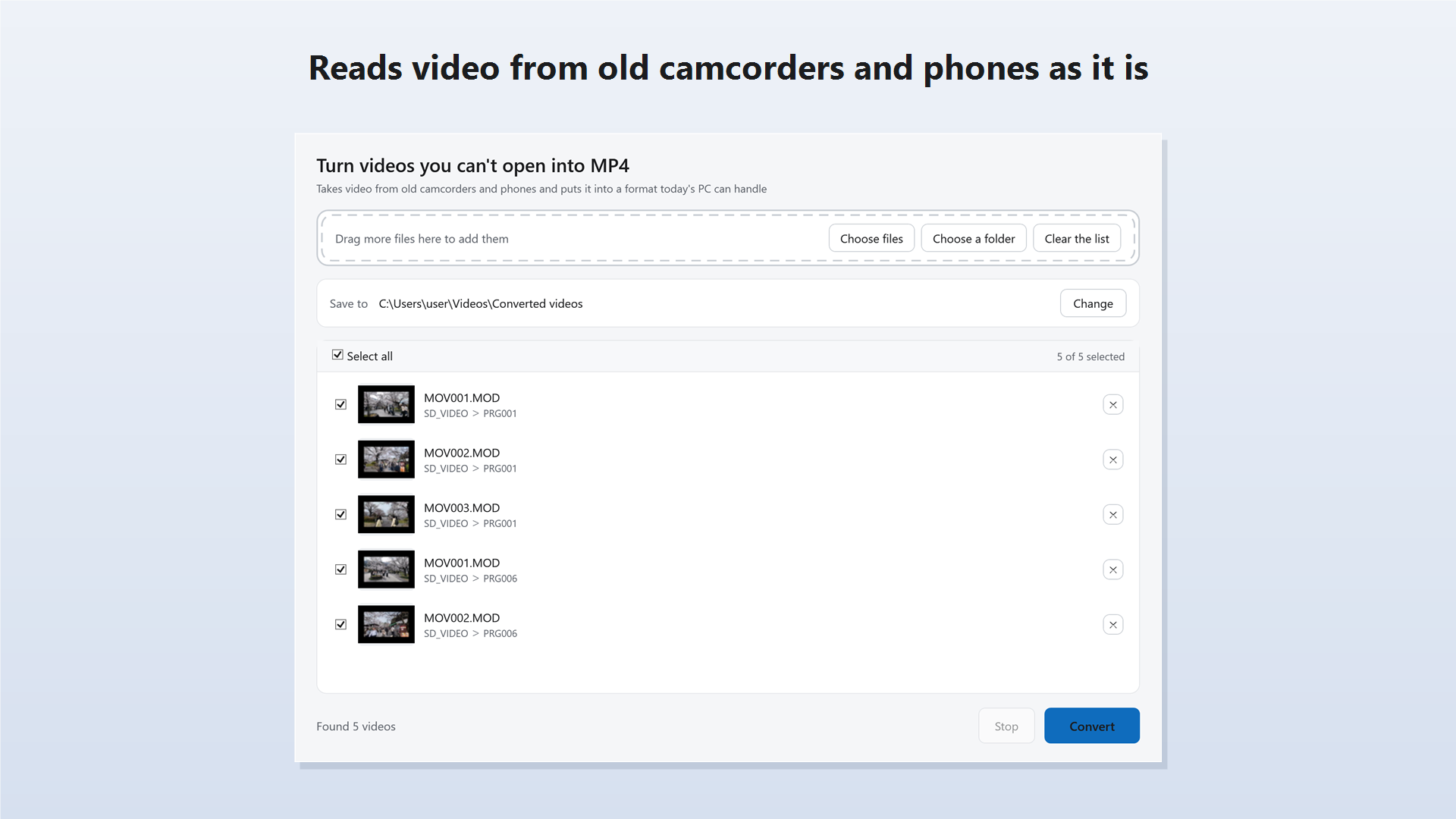
Drop in a folder and the app picks out the videos inside. Check them in the thumbnail list, then choose which to convert.
- Skips photos and camera housekeeping files
- Thumbnails show what "MOV001.MOD" actually is
- Same-named files from different cards never overwrite each other
-
Point 03
Problems are reported. Everything stays on your PC
If the sound in a file cannot be read, or a file looks damaged, the app says so on screen. All conversion happens on your PC.
- Never saves a silent video without telling you
- Originals are left untouched; results are saved separately
- Videos are never sent to a server
How it works
Three steps
There is nothing to set up first.
-
01
Drop in your video files
Drag video files into the window. You can also drop a whole SD card or DVD folder, and the app finds the videos inside.
-
02
Tick the ones you want
The videos are listed with thumbnails. Tick the ones to convert, and change the destination folder if you need to.
-
03
Press Convert
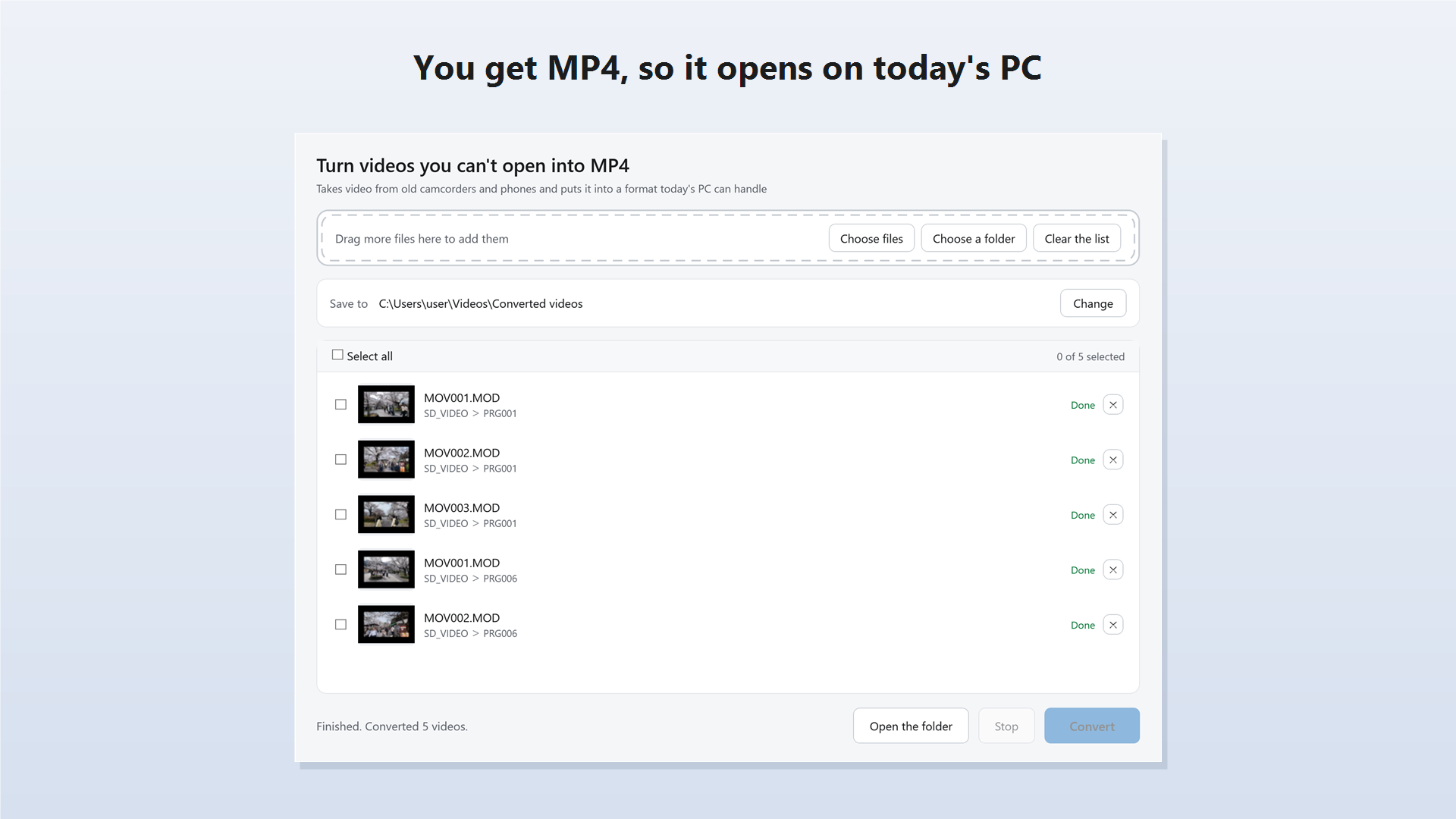
When it finishes, click "Open folder" to go straight to your new MP4 files.
Pricing
One-time purchase, no subscription
The free version keeps full quality, adds no watermark and never cuts a video short. The only limit is how many videos you can convert.
-
Free
Try it on your own videos
Free
- Convert 3 videos, start to finish
- Full quality, no watermark
- Load and list as many videos as you like
-
Recommended
Pro (one-time)
Pay once, keep it
$6.99
- No limit on the number of videos
- Convert whole folders at once
- No subscription or monthly fee
* Prices shown are for the United States. See Microsoft Store for pricing in your region.
Formats
Files it reads
- SD-card and hard-disk camcorders
- .MOD / .TOD
- DVD camcorders
- .VOB
- High-definition camcorders
- .MTS / .m2ts / .m2t
- Captured from MiniDV and Digital8 tape
- .avi
- Older mobile phones
- .3gp / .3g2
- Older digital cameras
- .avi / .mov / .mpg
- Today's devices
- .mp4 / .mov
- Output
- MP4 (H.264 video / AAC audio)
* These names refer to the files those devices produce. This app is not affiliated with any manufacturer.
* It does not repair broken files, handle copy-protected files or capture from tape.
FAQ
Frequently Asked Questions
I'm not sure my videos are supported
Load them into the free version to find out. You can add as many videos or folders as you like, and any video that shows a thumbnail can be read. You can also convert 3 videos all the way through for free to check the result.
My files end in ".MOD" and my PC doesn't recognize them
Just drop them into the app. It identifies each file by looking inside it, so there is no need to rename anything.
Can I drop in a whole SD card or DVD folder?
Yes. The app picks out just the videos inside and skips photos and housekeeping files. Files with the same name from different cards are saved without overwriting each other.
Does the quality drop?
The quality is kept close to the original; the app adjusts it automatically to match each source. It also removes the combing lines common in camcorder footage during conversion.
Will the sound go missing?
Audio is converted into a format MP4 supports and kept with the video. If the app cannot read the sound in a file, it tells you on screen instead of saving a silent video without warning.
Are my videos uploaded to a server?
No. Conversion runs entirely on your PC, and your videos are never sent to or stored on the cloud or our servers.
Can it fix broken videos?
No, it does not repair files. If a file looks damaged, the app tells you and saves everything it could read. To recover photos and videos deleted from an SD card, try FileRescue.
Can it convert video on tape?
No. It cannot capture from tape, and works only on videos that are already files on your PC.
Which versions of Windows are supported?
Windows 10 and Windows 11 (64-bit).
Get started
Watch the videos on that
old SD card again
Drop in, tick, convert.
Start with 3 of your own videos, free.
Product and format names mentioned are trademarks or registered trademarks of their respective owners. This app is an independent product and is not affiliated with any camcorder or mobile phone manufacturer.